Style
Linework
In general, the linework for all characters should involve:
-
Clean lines
-
General focus on sharp lines and shapes
-
The same size and type of brush
- 5px plain regular round brush. Every drawing application should have this.
-
Lineweight can be varied to convey detail and bring focus to different shapes
For character reference sheets, it is fine to deviate from set brush sizes or types, but for character sprites or official artwork this must be kept consistent.
Shading
Shading for all characters should involve:
-
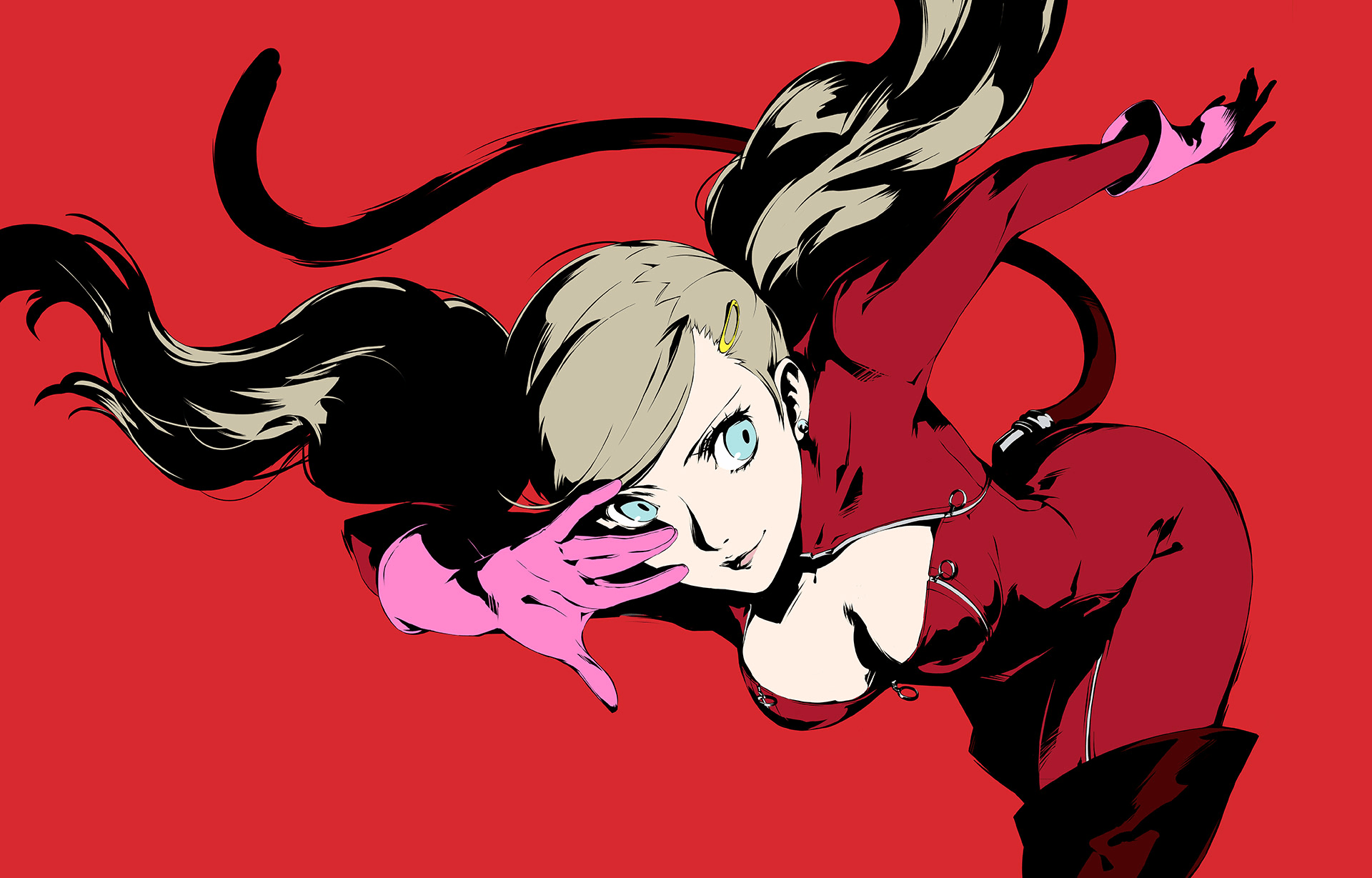
Solid black shading - not coloured
-
must be sufficiently detailed to capture the form of the characters
-
variations in line weight should also be used to add depth and visual interest (eg. corners have thicker lines)
-
Elements further from the viewer (e.g. leg placed behind) are completely blocked in black
-
-
Gives it a comic-like look
-
Persona 5 artstyle could be used as reference.
Body proportions
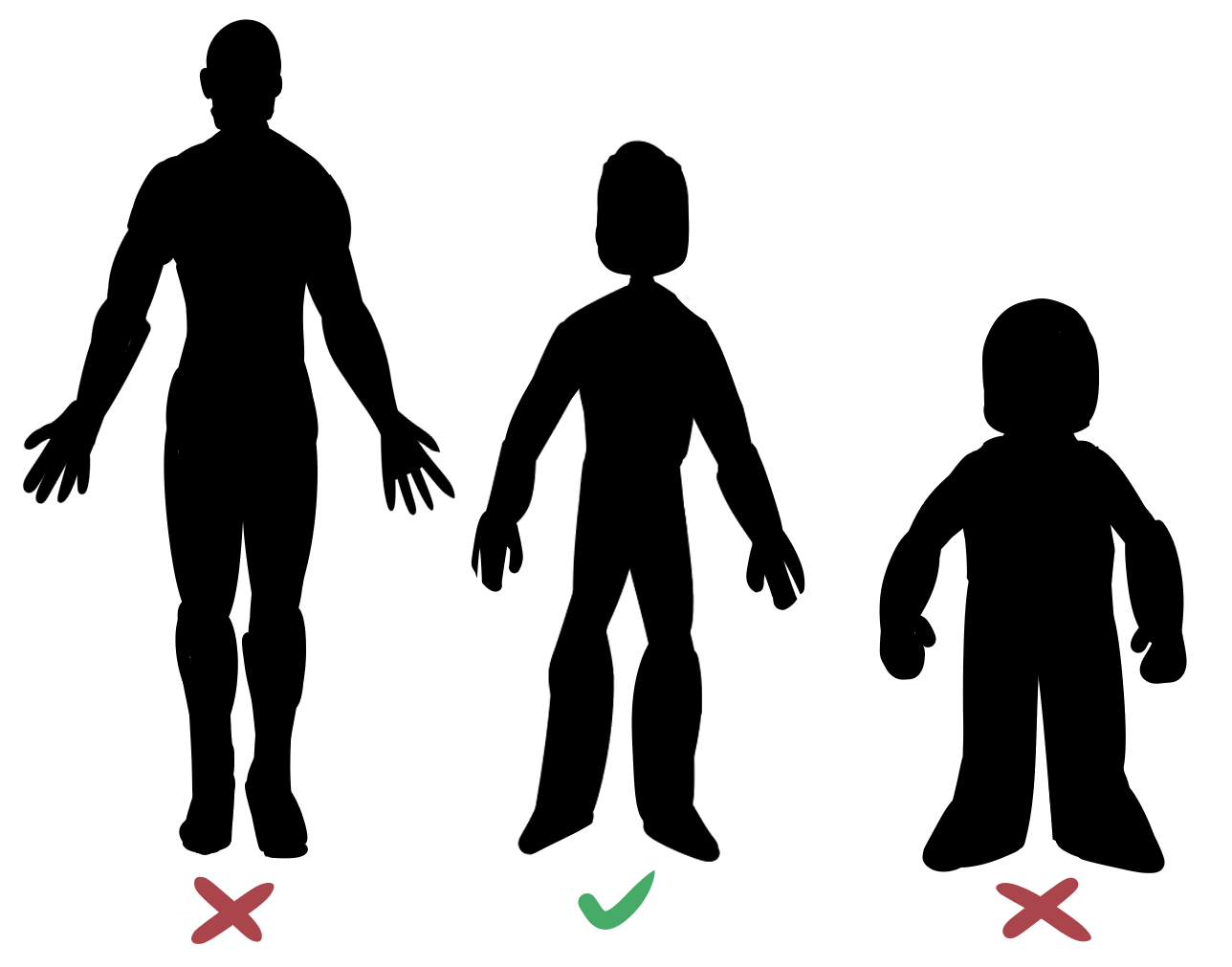
Proportions of characters are going to be stylised and not 100% realistic, but you should err on the side of caution and do not let these proportions become chibi.
For battle sprites:
-
Detail - simplified
-
Faces
-
Hands
-
Details
-
-
Overall body proportions mostly realistic
-
Head slightly larger than normal proportions
-
Avoid a ‘chibi’ style look
-
Characters’ faces only consist of their eyes
-
Eye whites are not visible
-
Hands are simplified to have 3 fingers.
For character portraits
- More detail - level of detail closer to what we have on character sheets
Character Designs
Designing the character
When designing our characters, we want them to be human-like and strike a balance between being literally humans vs being abstract robots.
When designing characters, we want to tackle them in this order:
-
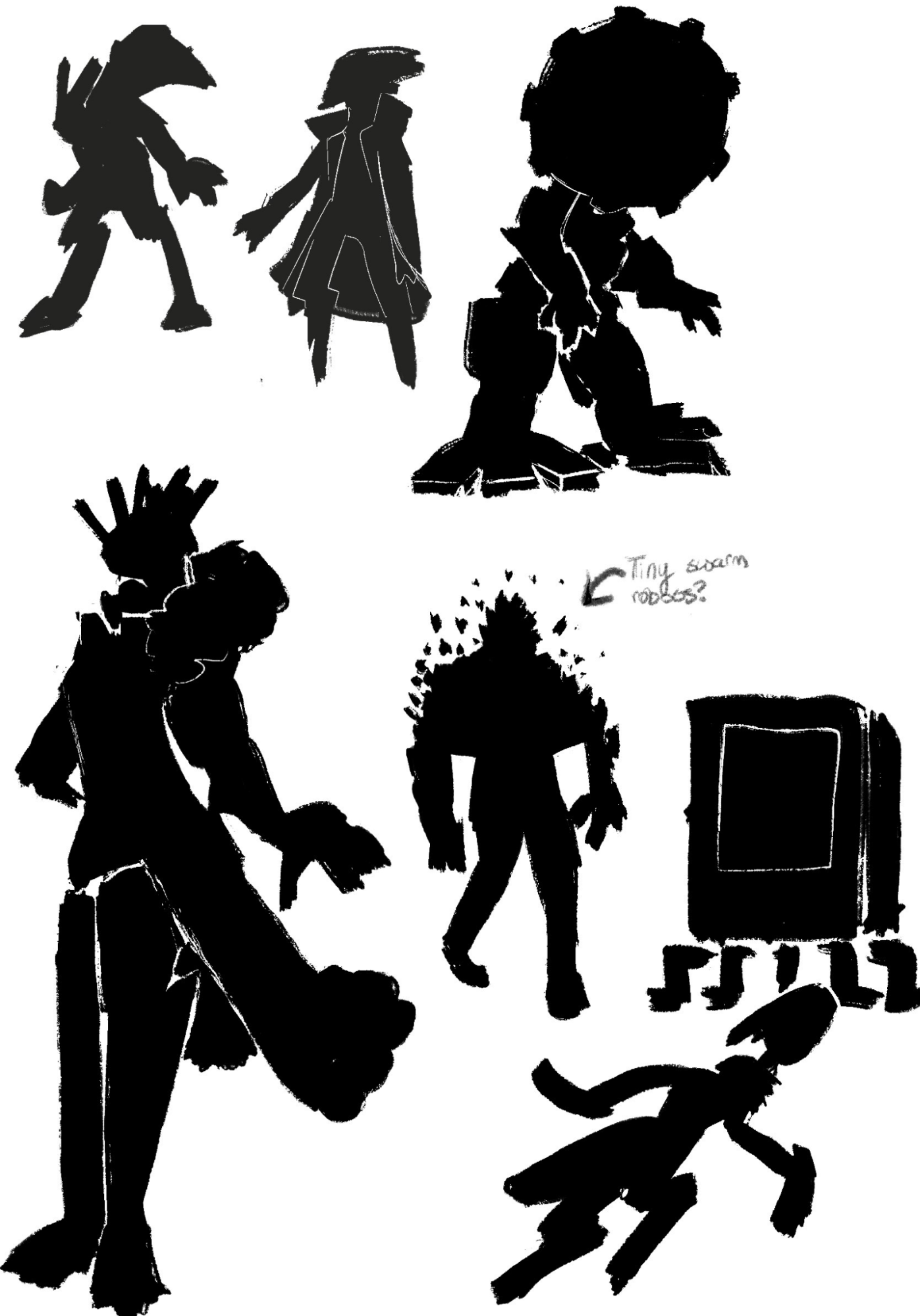
Coming up with a page-spread of silhouettes
-
These silhouettes should be non-detailed and explore different ideas.
-
The purpose of this is to design characters with strong silhouettes
-
We will pick our favourite(s) and expand further
-
-
Expansion of favourite silhouette(s) and addition of details
-
This is where you can add small white details to your silhouette to expand on the design
-
Sometimes we will suggest to combine aspects from multiple silhouettes into a new one
-
You can also draw alternate versions of the same silhouette to explore multiple ideas
-
DO NOT JUMP STRAIGHT TO LINEART - wait for art/game director confirmation
-
-
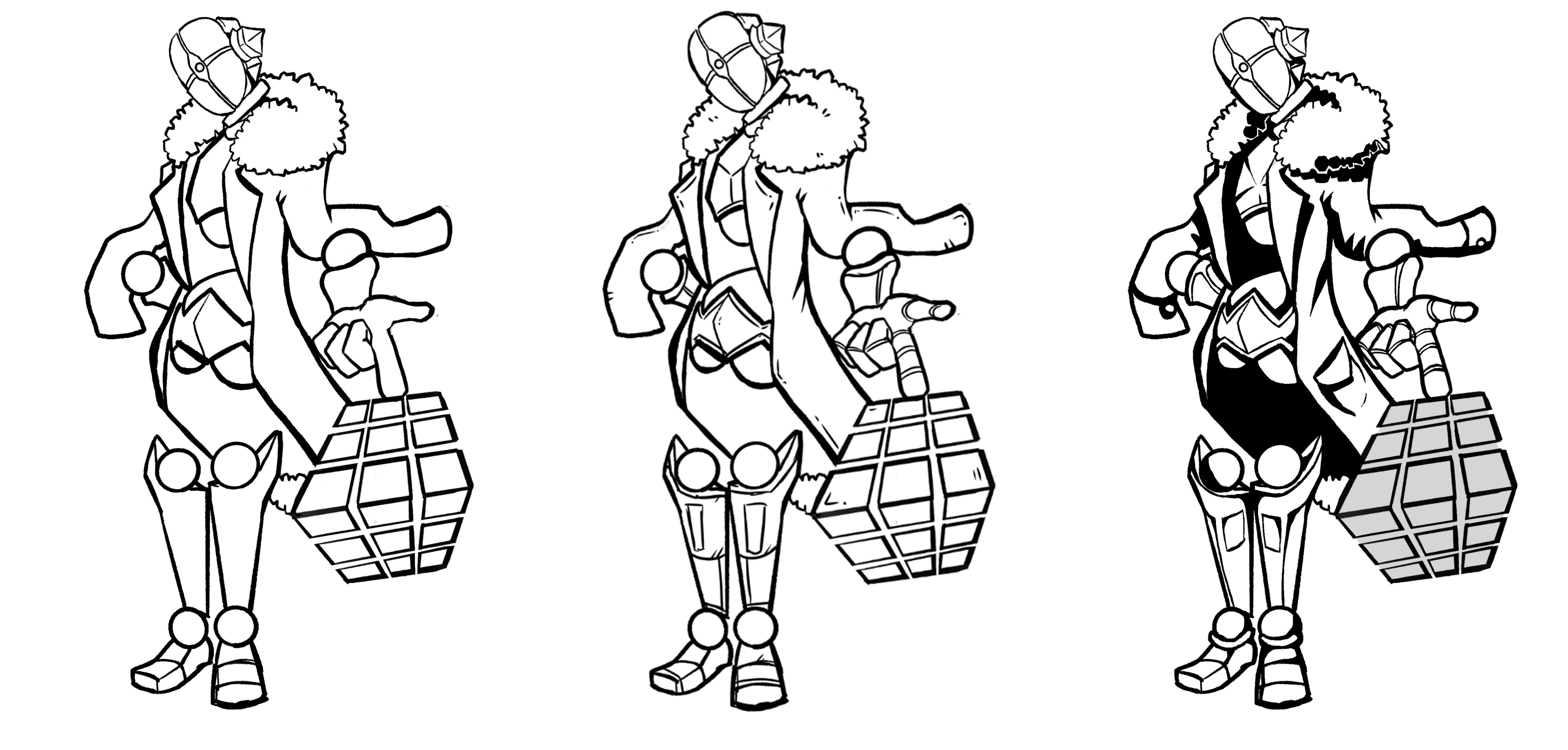
Lineart
-
Once we have a silhouette w/ details that we are happy with, you should start lineart-ing your concept art
-
An important step here is to add some small details and greebling to bring visual interest to the design.
-
Don’t go overboard on the detailing!
-
The design will likely be simplified when drawn as a sprite.
-
More detail will be retained when/if we do portraits
-
-
Be careful not to lose the strength of the original silhouette
-
You should then shade the concept art design so that we have an example of shading
-
-
Colours
-
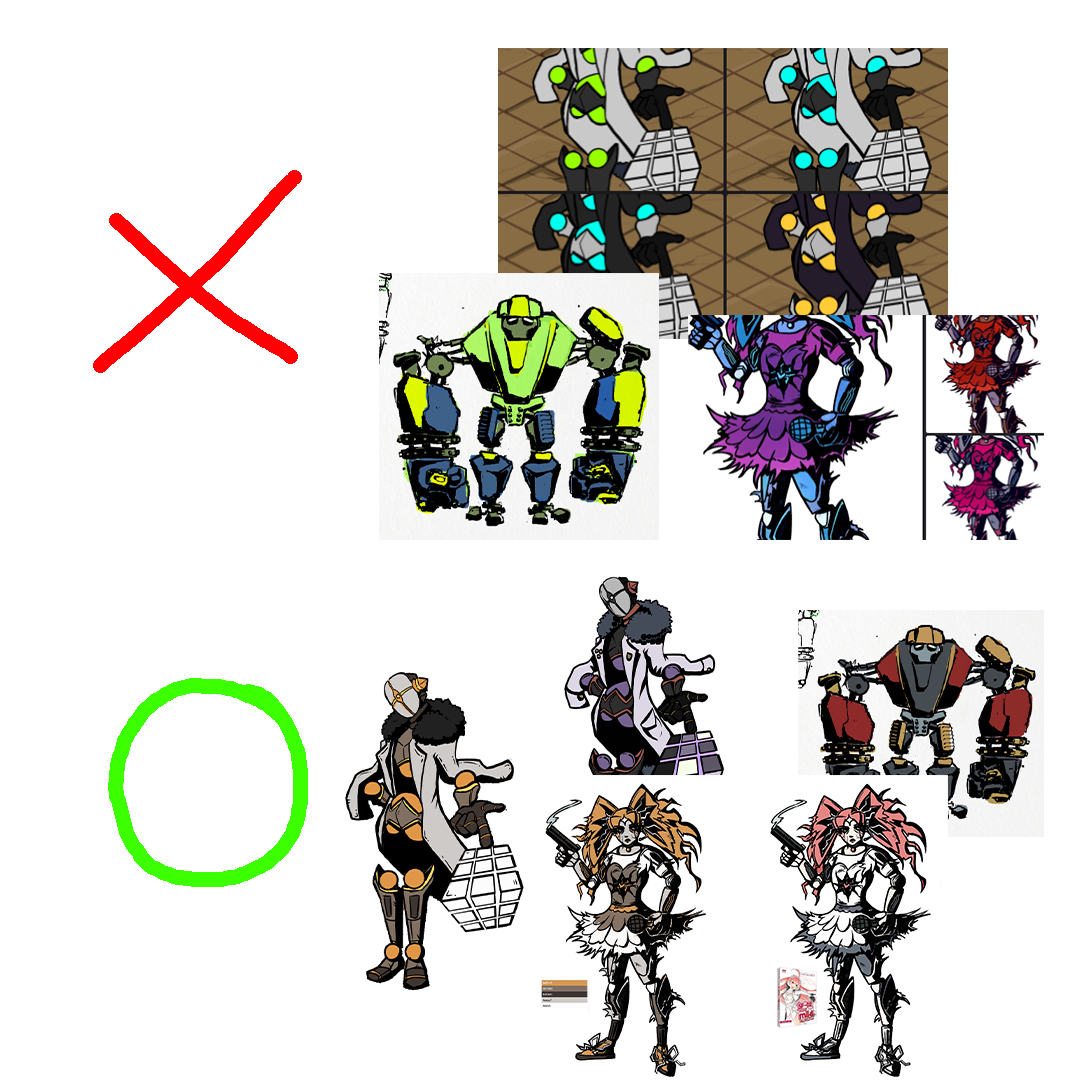
Be careful not to let your colours be too saturated!
-
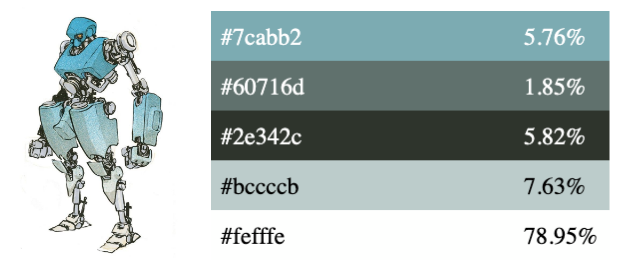
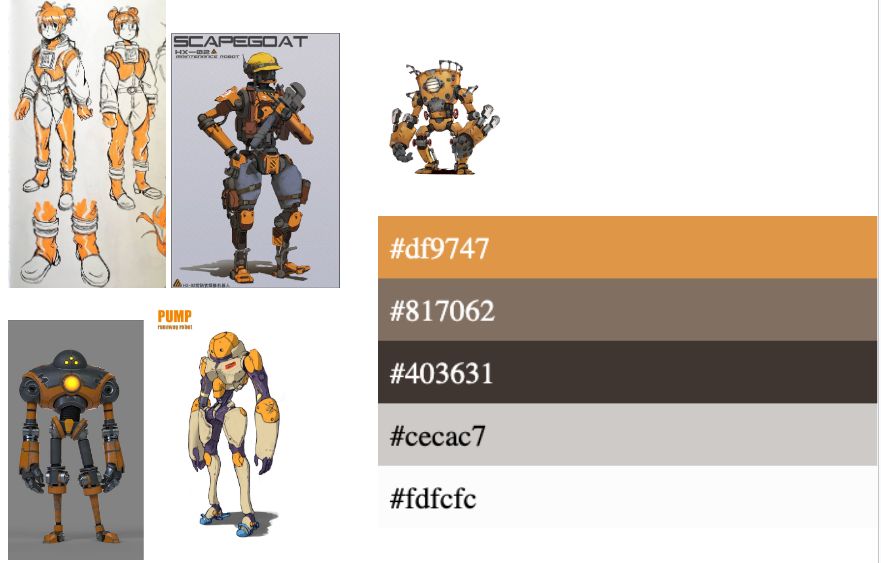
To start with, please try colouring your character using the below two colour palettes, to get a feel for the sort of colours that we are going for.
- You can then branch out to trying different hues
-
-
We would like each of our main characters to have their own unique accent colour, so please keep this in mind and keep an eye on how the other characters are moving along when colouring the one you are working on
-
Here are some more examples of colours that work and do not work
-
It is not the hue itself that differentiates what work vs what doesn’t
-
(eg. just because there’s no greens on the “yea” side, doesn’t mean that green isn’t allowed)
-
It is the saturation of the colours that impacts them the most
-
You can incorporate multiple hues into your design, but be careful that they do not clash
-
-
-
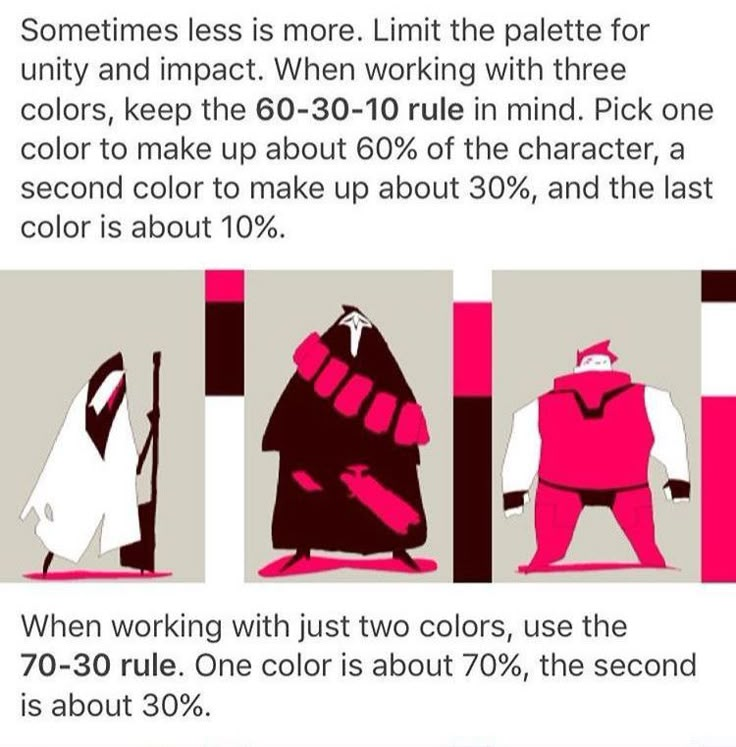
When working with colours, it is also a good idea to start by focusing on three main colours and use the 60-30-10 rule
-
You can feel free to expand on it and add in more colours later, but the 60-30-10 rule is a good starting point for the main focus colours
-
We might want to refrain from our main “bright” accent colour being the “60”, but feel free to try it out!
-
Reference Sheets
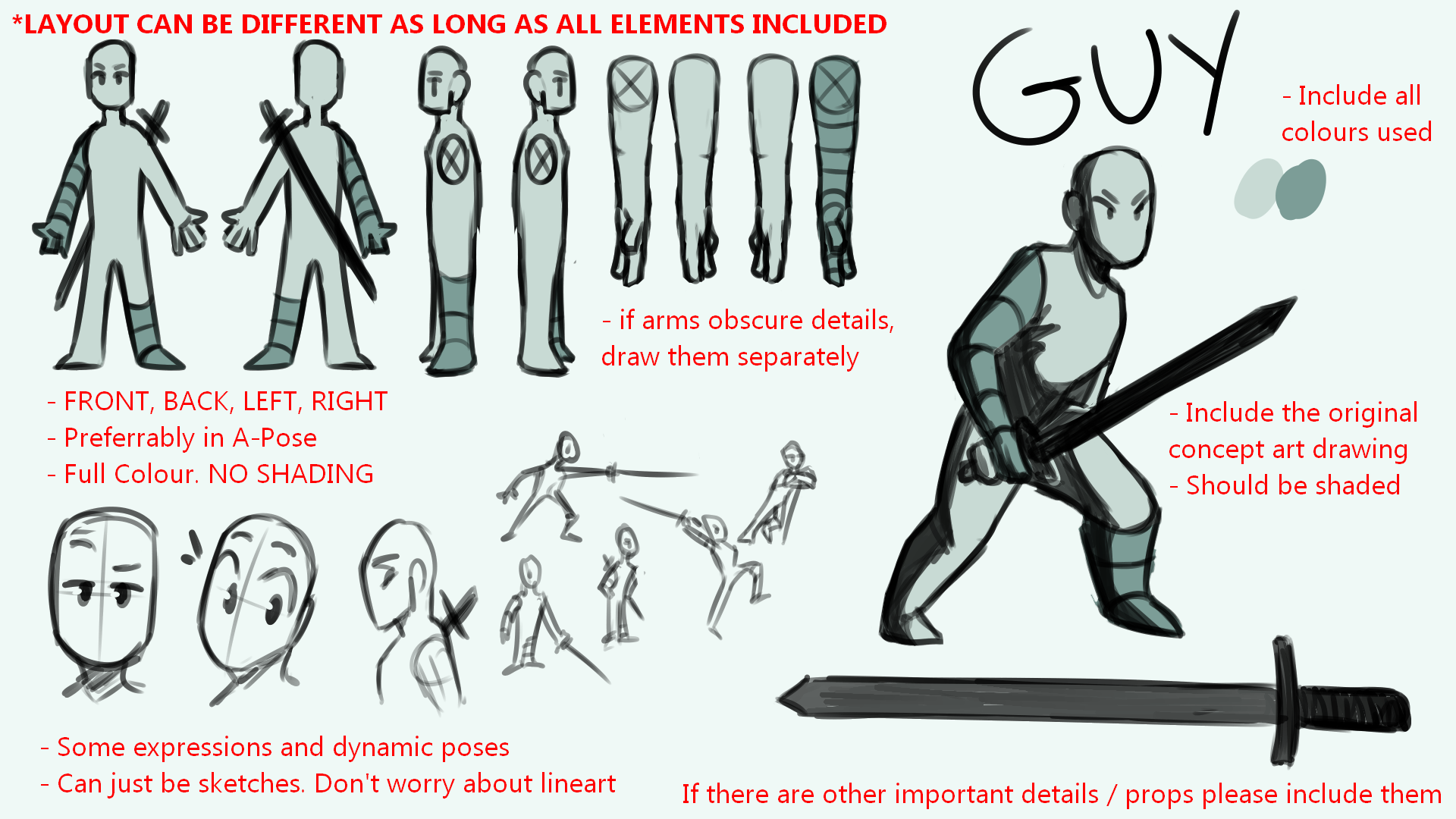
To see all reference sheets, see Reference Sheets.
Reference sheets should include all the below information so that it is adequate for creating in-game sprites. Refer to the checklist below or the example ref-sheet image.
- Include the original concept art drawing
- Full colour
- Shaded
- Images from different angles
- Front
- Back
- Left / right (if symmetrical, you dont need to draw both side views)
- If arms obscure details on the body, have them drawn separately for sideview
- Full colour
- No shading
- Preferably in A-Pose
- Include important details / props
- Include some expressions / poses
- Can just be sketches, dont worry about lineart
- Include all colours used so that they can be colour-picked from