This page documents how the art for combat rooms is intended to be laid out.
The following sprites are required for each combat room variation/locations:
- Back wall (one large sprite)
- Front wall (one large sprite)
- Base cells (several variations of sprites)
- Cover (several variations of sprites)
Front and Back Walls
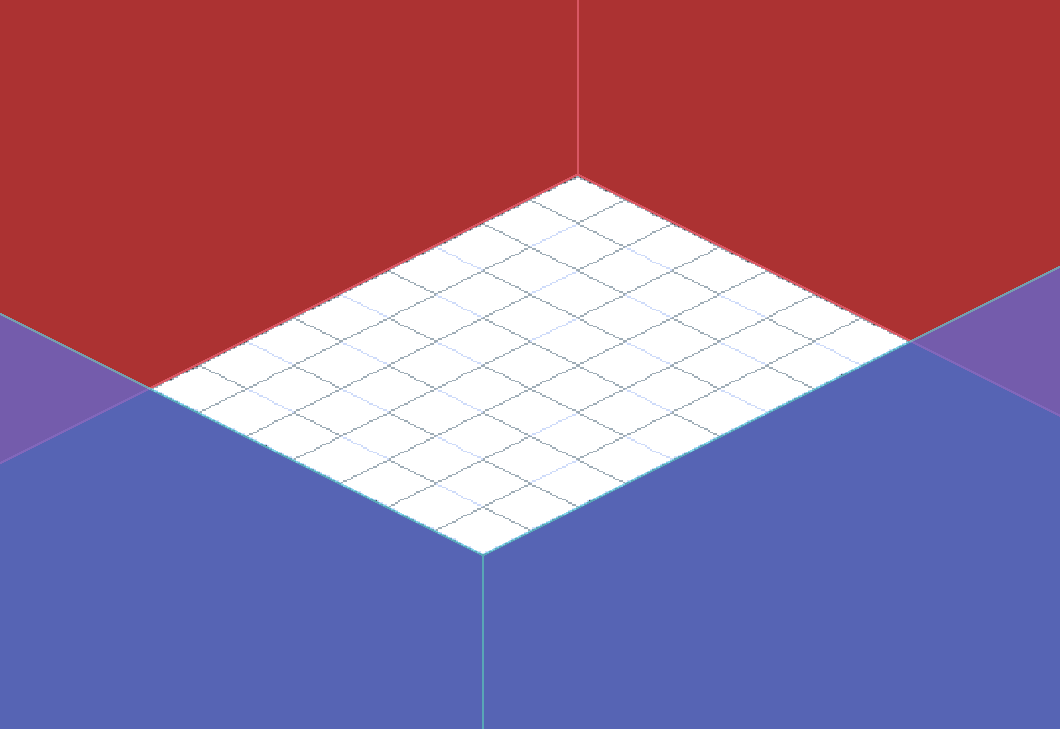
The above image shows the layout of the back wall sprite (red) and the front wall sprite (blue).
- Both sprites should extend at least 30 cells in each direction, even off-screen. It is okay for art to loop to save time. (We will probably never have a grid that large, it’s just so we have enough leeway.)
- No matter the size of the grid, the back wall sprite will always align with the top corner and edges, and the front wall sprite will always align with the bottom corner and edges.
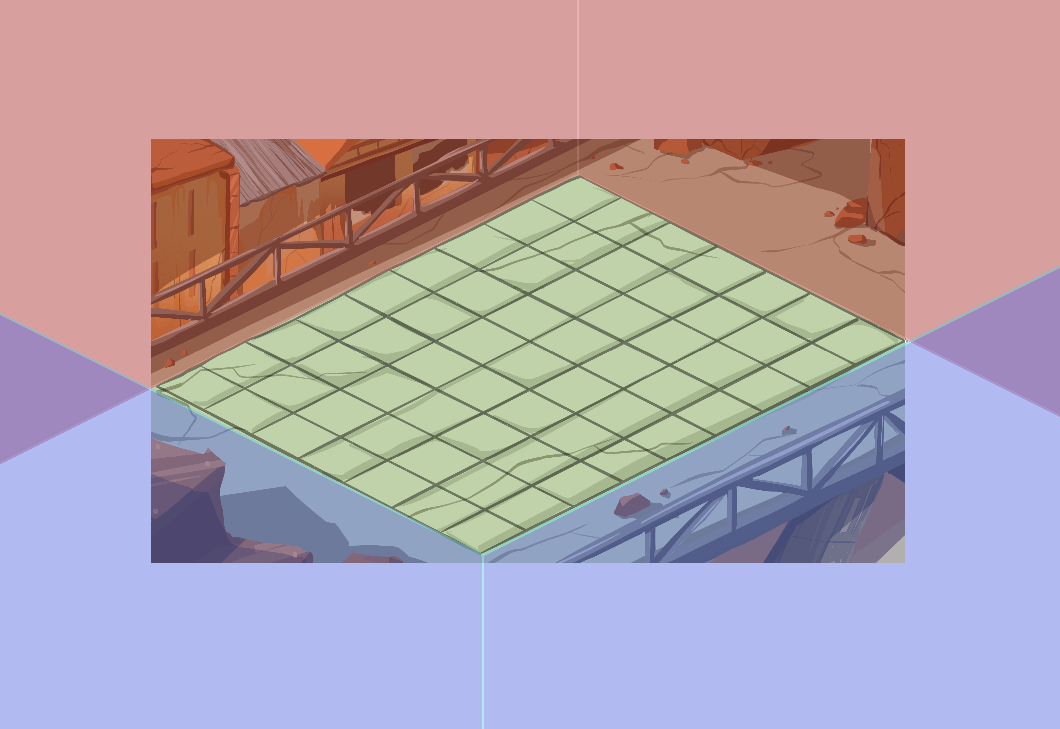
- It is not necessary for the back wall sprite to literally be a wall that is flush with the edge of the grid. You can put some space between the grid and whatever structures are there, as long as the perspective is believable.
- The front wall sprite will always overlay the back wall sprite.
- The camera will be bound to never show anything further than half a cell from each of the corners. This means you can pull some perspective tricks to make the back and front walls appear to intersect. (The example from Josephine below has the camera bound to the corners exactly, which is not how it’ll be in the actual game.)
- Assume the grid could be any size. The purpose of this system is to support rooms of various sizes while only having to make art once.
- Do not assume the bottom corner will always be to one side of the top corner. It could be to the left, right, or directly inline horizontally.
Base Cells
Each location needs various sprites to use as the ground itself.
- Cell sprites may be reused between locations in the same district, if the aesthetic/broader location is the same.
- Cell sprites will be placed randomly in every cell, to prevent the floor from looking samey and bland.
- Cell sprites may be weighted if that makes the room look better (the randomisation system can be configured to pick certain cell sprites more often than others).
- Cell sprites will be obscured if the cell has a cell state. When the cell state expires/is cleared, it will be visible again.
Cover
Each room needs various sprites to use for naturally-occurring cover placed within the grid. (See Cover for detailed specs for cover sprites.)
- Cover is a rigid structure that can block bullets, take damage, and get shoved around.
- The sprites you create for cover should match the style and theme of the rest of the environment.
- Cover will randomly select a cover sprite from that location to use. This will prevent the battlefield from looking samey and bland.