Change Log
- References to “taunt” have been replaced with “stun”.
General
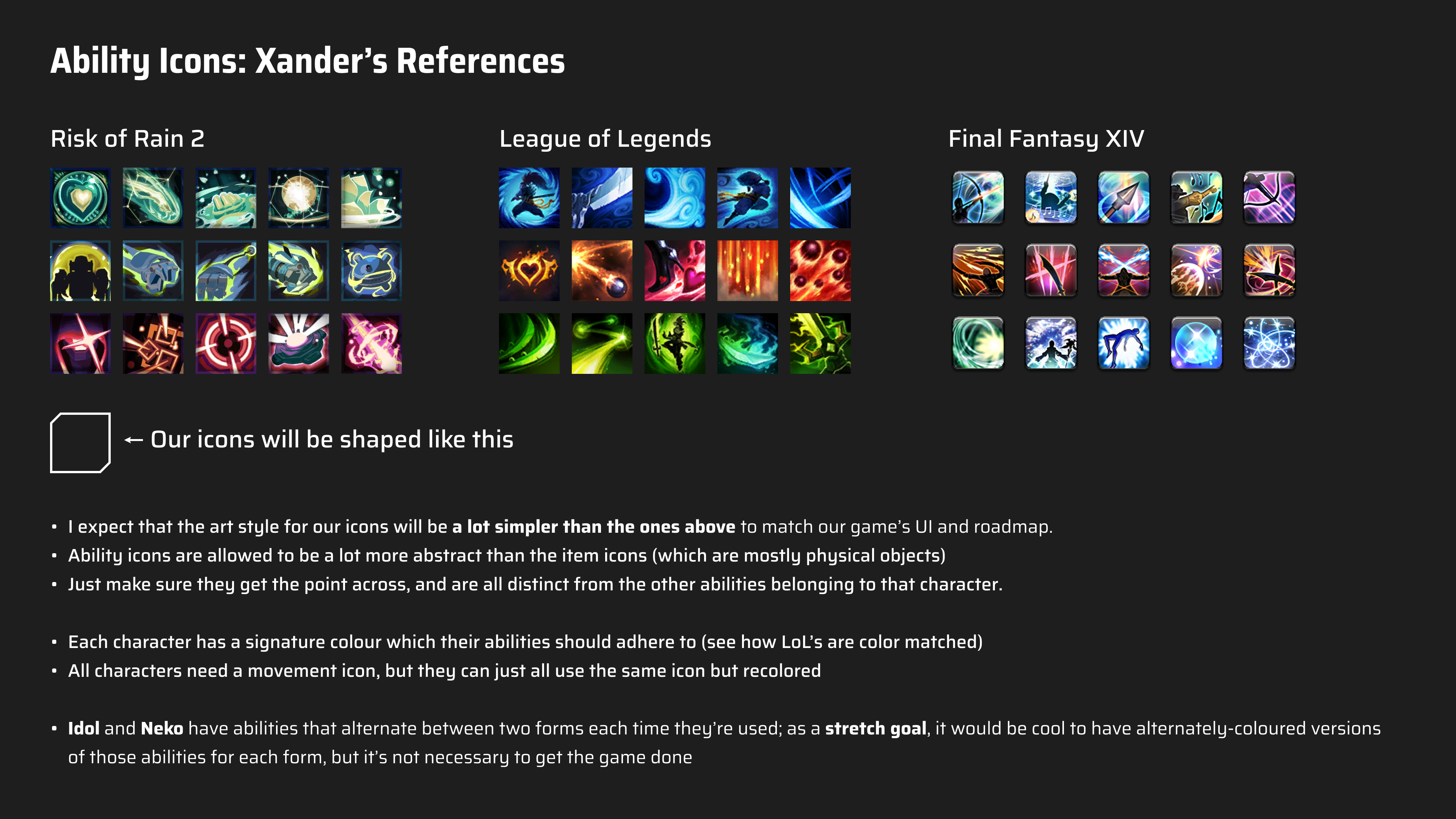 Use the specifications for each ability as a starting point for your early iteration.
Hacker
- Hacker’s signature color is purple. Specifically we’ve been using A86DFF, so use that as a base and go darker/lighter if it looks better.
- Hacker’s abilities are quickhack-themed, but most of them play around the Burn status effect, which deals damage over time. “Applying Burn” means setting them on fire.
Passives
- Smoke Bomb: Hacker makes nearby allies invisible whenever he himself gains invisibility.
- Function: When gaining any stack of invisibility, adjacent allies also gain 1 Invisibility.
- Icon: A large smoke cloud obscuring a full-body silhouette of Hacker. The right half of Hacker should be visible, with the left half fading into the smoke cloud.
- Note: Full-body shot to show that it’s an AOE effect, even though only Hacker is in the icon.
- Counter-a-hack: Hacker does a counterattack by hacking the enemy, accelerating their death.
- Function: When taking damage from an enemy that has Terminate, that enemy’s Terminate stacks reduce by 1.
- Note: Terminate is a debuff that functions similarly to a countdown. It ticks down each turn and when it reaches 0 the unit instantly dies.
- Xander: “A bit of an abstract one; the first thing that comes to mind is Counterspell from Deadlock. Look that up and try spinning it into something more “digital” I reckon.”
- Icon: A hexagonal barrier that is deflecting a shot of of energy. The energy should be rebounding off of the barrier. The rebounded part of the energy should look like it’s been digitised either by making it look like it’s turning into pixels or 0’s and 1’s of binary code. For the shield, look up the AT field from Evangelion for reference.
- Adaptive Cloaking: Hacker blends in with the environment, becoming invisible after standing still.
- Function: If Hacker hasn’t moved, gain 1 stack of invisibility at the end of the turn.
- Icon: Medium close-up shot of Hacker looking and facing towards the camera (you). The left side of Hacker should look like it’s turning invisible. This can be shown through a “digital” effect. Ensure this “invisible” effect is consistent with the “Counter-A-Hack” and “Cloak” icons for Hacker.
- Note: Medium close-up shot to show the passive only affects Hacker.
Actives
- Singe: Hacker spins his hacking rubik’s cube thingy and snaps his fingers, setting an enemy on fire by overheating their hardware.
- Function: Apply 2 Burn to an enemy.
- Icon: Hacker’s right hand in a “finger gun” pose after doing a finger snap, with flames bursting out from the index finger. Think of Roy Mustang from Full Metal Alchemist.
- Combust: Hacker makes a burning enemy explode into a large fireball.
- Function: Consume all of an enemy’s Burn and deal 15 damage for each stack consumed.
- Icon: An explosion with a person’s body being incinerated in the middle. The body is on their knees in pain while the explosion engulfs their entire body. Close medium shot of the body.
- Cloak: Hacker becomes invisible.
- Function: Gain 2 Invisibility.
- Xander: “This ability makes Hacker go invisible. It’s tough to visualise “invisibility”, but Hacker has an actual “coat” that he wears and swishes in his animation, so you portray this ability by drawing Hacker’s coat in a swishing motion.”
- Icon: The back of Hacker’s cloak with it gradually fading into invisibility. Invisibility should be shown through some sort of “digital” effect. Ensure this “invisible” effect is consistent with the “Counter-A-Hack” and “Adaptive Cloaking” icons for Hacker.
- Immolate: Hacker sets an enemy on fire alongside other enemies surrounding the target.
- Function: Apply 5 Burn to an enemy, and 2 Burn to all units 2 cells from the them.
- Xander: “Rather than an explosion, this ability would be more like a firestorm. I would make it something like a flaming cyclone or tornado.”
- Icon: A flaming tornado.
- System Crash: (Previously named “Suicide”) Hacker overrides an enemy’s systems and sentences them to death. The enemy will instantly die after a few turns.
- Function: Apply 3 Terminate to an enemy.
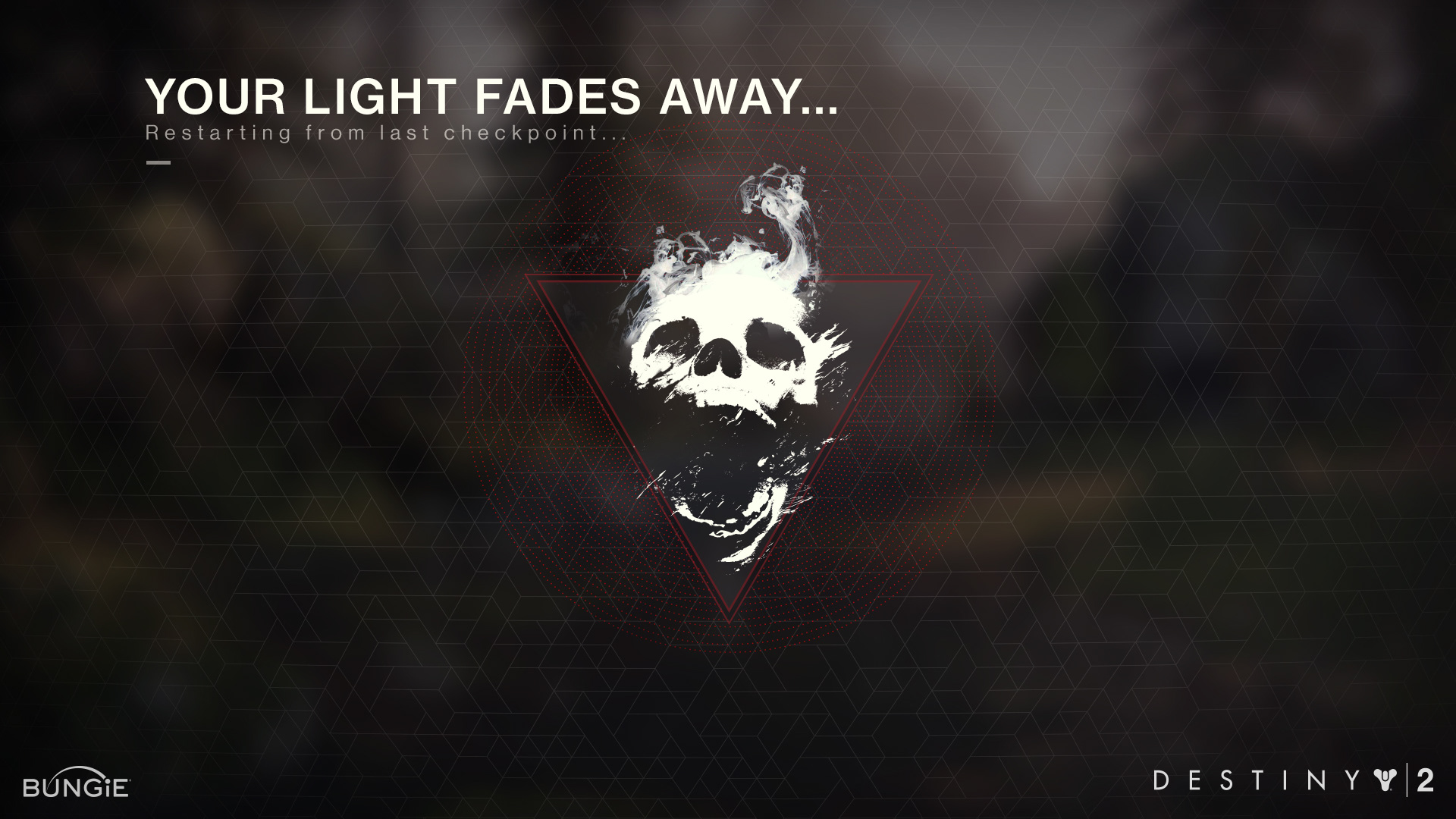
- Icon: A skull with an agape jaw, fading away into ribbons or pixels (something digital!). Could be facing slightly to the left and upwards.
- Reference: Destiny 2 - Death Screen
- Duplicate: Hacker copies all of an enemy’s status effects to another enemy.
- Function: Choose two units; all status effects on the first unit are copied onto the second.
- Xander: “This ability copies all of the statuses on one unit to another unit. Way more abstract than the others, so the icon can also be more abstract; taking inspiration from mitosis would be a good bet.”
- Icon: Hacker’s rubik’s cube hacking thingy splitting into two.
Idol
- Idol’s signature color is pink. Specifically we’ve been using A86DFF, so use that as a base and go darker/lighter if it looks better.
- Idol’s abilities are mainly focused on singing, support and status effects. Most of her ability icons will be kind of abstract (as in, not physical objects, but more like illustrations of concepts.)
Passives
Each of Idol’s passive abilities apply some effect in an “aura” around her. For that reason, I think each one should be relatively similar, with some slight variation in its design to differentiate them.
Consider making these icons a shot/silhouette of her chest, with her hands in different positions for each one:
- Fan Service: (Previously Vibe Check) Idol heals nearby allies.
- Function: At the start of your turn, heal 15 HP for yourself and all allies within 3 cells.
- Icon: Idol’s hands form a heart shape in front of the heart on her chest.
- Heartache Siphon: (Previously Vibe Siphon) When Idol deals damage she will heal nearby allies.
- Function: Whenever you deal damage, you and adjacent allies heal 15% of that damage.
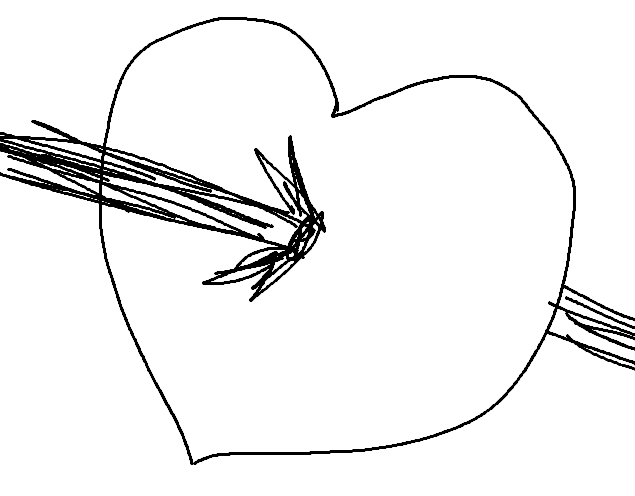
- Icon: A heart symbol with a bullet shooting through it.
- Center Stage: (Previously Vibe Freeze) Idol makes all nearby teammates and enemies starstruck, keeping status effects active for longer.
- Function: At the end of your turn, add 1 stack to all adjacent units’ status effects.
- Icon: Full-body shot of idol’s silhouette, surrounded by a sea of glowsticks held by the crowd. Idol should be doing an typical idol pose… not sure what this should be so please look up references and experiment!
Of course, I welcome any experimentation you want to do with the information given.
Actives
- Pistol: Idol shoots at an enemy with her pistol, and shoots an extra bullet for each ally close to her. E.g. If both of her allies are close, she will fire 3 shots.
- Function: Fire a pistol in a straight line, dealing 15 damage. Shoot an extra time for every ally within 2 cells.
- Icon: Idol’s glock-inspired pistol facing the viewer at a diagonal angle. It should be firing a shot, with muzzle flash, the slide moving backwards, and a bullet casing being ejected with a bit of a smoke trail following it.
- Healing Harmony: (Previously Heal) Idol gives an ally passive health regeneration.
- Function: Apply 2 Health Regen to an ally within 3 cells. Can target self.
- Xander: “The symbol for healing is a plus symbol, so it would be wise to go with several health icons with some kind of rising effect behind/around them.”
- Icon: Idol’s upwards-facing open-palmed hand. Above it is a heart with a quaver musical note.

- Rally: (Previously Warcry) Idol rallies an ally to give them a stat boost.
- Function: Alternating: Apply 1 Damage Up/Speed Up to all nearby allies.
- Icon: 3 robotic hands pointing upwards to the sky.
- Inspire: Idol inspires an ally, giving them an extra action this turn.
- Function: Grant an adjacent ally one extra ability action for this turn.
- Icon: Medium shot of Idol doing that typical idol pose where they have their arms extended towards the camera.

- Screech: Idol disorients an enemy with an ear-splitting screech.
- Function: Alternating: Inflict 2 Expose/Corrupt to all enemies within a cone shape.
- Icon: Idol’s microphone in the bottom-right of the icon, with 3 lightning symbols coming out from it.
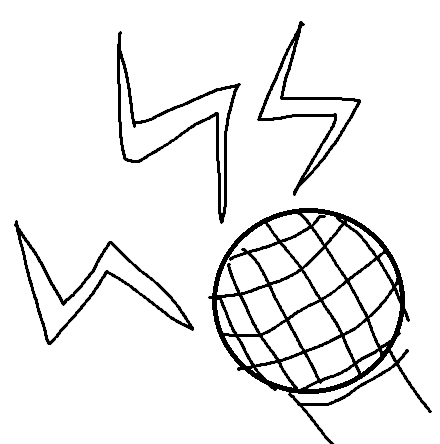
- Hyper Beam: This is a massive laser attack.
- Function: Fire a beam that heals 30HP on allies and deals 30 damage to enemies.
- Icon: A giant thick laser, preferably at a diagonal angle extending from one corner to the other (see the last example in the Risk of Rain 2 icons I provided at the top).
Construct
- Construct’s signature colour is yellow. Specifically we’ve been using FFCC4C, so use that as a base and go darker/lighter if it looks better.
- Construct’s abilities are focused on defence, construction, and demolition. He’s a construction-themed tank of a character, crafting scrappy makeshift cover and throwing out heavy slams. They are all very physical in nature (compared to some other characters’ abstract abilities) so they should generally involve his body or body part(s).
Passives
- Fortify: Construct gives shields to himself when any cover close to him is destroyed.
- Function: When adjacent to cover at the end of your turn, gain 10 shield.
- Icon: A shield icon overlaid on top of one of Construct’s cover things. The cover is broken in half, split down the middle with a crack.
- Stalwart Defense: Construct reduces damage dealt to nearby allies by taking it onto himself.
- Function: 20% of damage dealt to adjacent allies is redirected to Construct.
- Icon: Construct’s raised arm blocking bullets, with the bullets ricocheting off.
- Kinetic Offset: Construct becomes faster and stronger for a bit when his own cover is destroyed.
- Function: When any of your deployed cover is destroyed, gain 1 Supercharge.
- Icon: Construct’s arm punching a hole through his own cover. The main focus of the icon should be the arm.
Actives
- Bash: Construct punches an enemy.
- Function: Bash an enemy, dealing 20 damage.
- Icon: Construct’s fist punching towards the camera. The punch should be directed at a bit of a diagonal angle, so it’s not directly aiming for the camera, but rather somewhere past the camera in the top-right direction.
- Deploy Cover: Construct places down a large, yellow, metal crate that acts as cover.
- Function: Place cover in an adjacent cell, which explodes when destroyed.
- Icon: Construct’s cover placed down, blocking multiple bullets. The cover should be fully visible in the icon.
- Mighty Shove: Construct shoves an enemy away with great force.
- Function: Shove an adjacent unit or cover away, dealing 30 damage on collision.
- Icon: Construct’s open-palmed hand doing a shoving motion towards the camera.
- Ram: Construct does a shoulder charge into an enemy.
- Function: Barrel down a line, dealing 20 damage to the first thing you hit. Every cell traveled increases damage by 5. Instantly destroys cover.
- Icon: A medium shot of Construct doing a shoulder charge to the right. Do a mix of the sketches below.
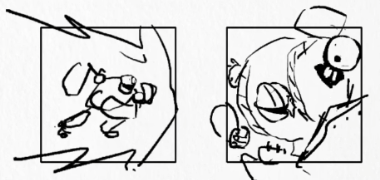
- Safeguard: Construct shields himself and an ally, and also gains a speed boost.
- Function: Grant 10 Shield to itself and a nearby ally, and apply Speed Up to yourself.
- Icon: A full body shot of Construct standing facing the camera in front of a shield icon. Construct should look imposing, ready to defend whatever’s behind him.
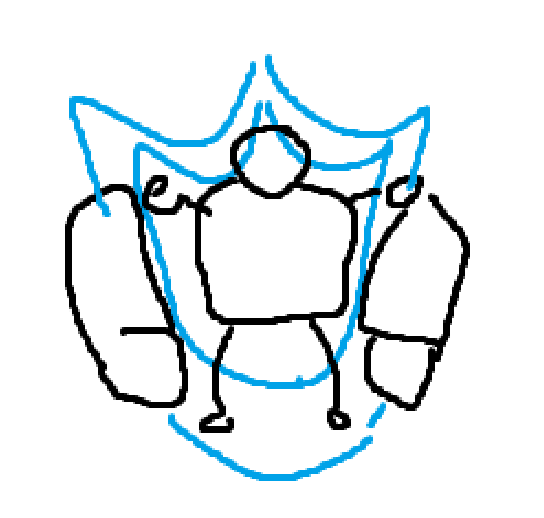
- Ground Slam:
- Function: Smashes the ground, dealing 50 damage and slowing all units that get hit.
- Icon: Construct’s arm slamming down on the ground, creating a large impact leaving cracks in the ground and debris. Construct’s forearm should be horizontal, parallel to the ground much like how gamers would slam their desk when raging.
Bandit
- Bandits signature colour is red. Specifically we’ve been using FFCC4C, so use that as a base and go darker/lighter if it looks better.
- Bandit’s abilities are ALL physical, whether it’s using a weapon, throwing something, or deploying something. So these should be relatively simple (except maybe the passives).
Passives
- Steady Aim (Previously Deep Breath): Bandit steadies his aim, readying a deadly precision shot for his next turn.
- Function: If Bandit didn’t move last turn, its next attack is a guaranteed Critical Hit.
- Icon: A medium close-up shot of Bandit from the side, from the shoulders up, looking down the sights of his sniper rifle.
- Last Stand: Bandit clings onto the last of his life and pushes on after taking a lethal hit.
- Function: Once per battle, survive a lethal hit with 1HP and cleanse all status effects.
- Icon: A figure of Bandit kneeling, with one arm on the raised knee, and the other using the assault rifle to keep him steady (the shoulder stock should be against the ground).
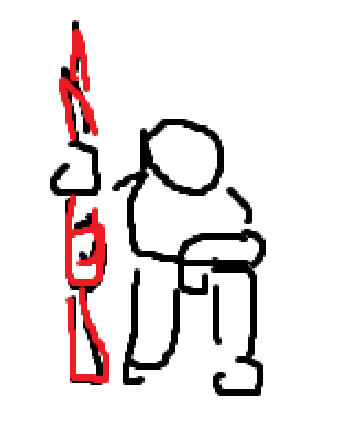
- Momentum: Bandit enters flow state after killing enemies and is able to reposition.
- Function: Once per turn, gain one extra movement action after killing an enemy.
- Icon: This, but it’s bandit, he’s holding his assault rifle, and there are afterimages behind him.

Actives
- Assault Burst: (Previously Assault) Bandit fires a 3-round burst of bullets from his assault rifle.
- Function: Fires a rifle 3 times in a line, dealing 3x15 damage.
- Icon: Bandit’s assault rifle, at a diagonal angle with the muzzle facing towards the viewer.
- Grenade: Bandit throws his fragmentation grenade at enemies.
- Function: Throw a grenade, dealing 35 damage to all units in a 3x3 square.
- Icon: Bandit’s grenade. The pin has been removed and is in the icon. There is an explosion behind it. See the reference here. Also look up references of frag grenades about to explode (the pin is removed and the handle is no longer held down).
- Shield Beacon: Bandit’s shield beacon. The top half rotates like a garden sprinkler to shower allies with nanobots that shield them.
- Icon: Just an image of Shield Beacon (Bandit) on the floor.
- Purge Snipe: Bandit equips his sniper rifle, empowers it with his and his allies’ shields, and fires a powerful shot.
- Function: Strip all of your team’s shields and shoot a sniper round diagonally, dealing 1 damage for every 1 shield purged.
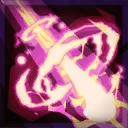
- Icon: A powerful sniper shot shooting from the top left of the icon to the bottom right. It should be breaking the sound barrier and creating small rings of air around the shot. There should be small bits of electricity around the shot from it being electrified by absorbed shields.
- Mortar Strike: Bandit throws a small beacon on the ground. A mortar then falls from the sky to strike the area, creating a great explosion.
- Function: Launch a mortar shell at any cell, which at the start of your next turn deals 50 damage to all units in a 5x5 cell square.
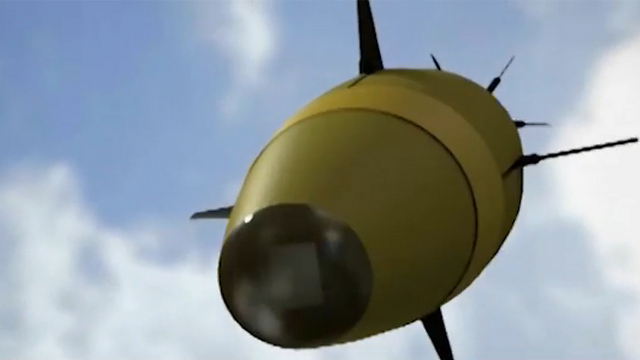
- Icon: A mortar shell facing towards the camera and towards the right. Look up references of mortar shells for what it should look like.
- Try referencing this angle but maybe not as extreme with facing towards the camera. Try angling it more to the side, but the majority of the mortar shell should be contained within the icon.
- Charge Slash: Bandit slashes his katana at an enemy.
- Function: Slash at an adjacent enemy, dealing 25 damage. Gain 15 shield upon killing an enemy.
- Icon: Bandit’s sword mid-slash, leaving behind a slash smear/trail. Reference here.


Neko
- Neko’s signature colour is blue. Specifically we’ve been using 19B6FF, so use that as a base and go darker/lighter if it looks better.
- Neko is a very mixed bag. Her passives are all “trail” related, so their icons will look similar but have different VFX/particles. She has some abilities where she flings drinks in the air, some where she attacks physically, and some that debuff or buff allies (which are based on emotions, so they may be difficult to portray).
Passives
Each passive icon should have the same general shape for the trail (an s-shaped line shown from a very low perspective, going from the top right to the bottom left). However, each should look different based on the material it’s made of:
- Soapy Trail: Bubbles
- Sticky Trail: A soda spill
- Sizzly Trail: Flames
Actives
- Meowstake: Neko flings a drink in the air.
- Icon: The drink airborne, with the lid opening from the “bottom edge” and some of the drink spilling out. There’s a reference for this that Michelle drew (it’s like an ice cream sundae)
- Hissy Fit: Neko throws a hissy fit and stuns an enemy.
- Icon: A close up of Neko’s face hissing. She should look like a hissing cat lol
- Purrfection: Neko gives herself an extra movement action.
- Icon: Neko zooming around, with a flattened curvy trail behind her to show how much she’s turning.
- Fish Sticks: Neko “feeds” her team some fish fingers, healing and cleansing her team.
- Icon: A bunch of fish fingers flung into the air, with sparkles surrounding them.
- Catastrophe: Neko flings a BUNCH of drinks into the air, leaving a trail on the floor.
- A bunch of the same spilling drink as in Meowstake.
- TREATS!!: Neko barrels down one direction and rams into the first thing she hits.
- Icon: Neko moving swiftly from one corner of the icon to the other. It should look like there are multiple Nekos because of how fast she’s moving.
Keeper
- Keeper is two units in one; there’s his main body (which is very fragile) and the swarm (which is invincible). All of Keeper’s attacks and abilities are conducted through the Swarm, as long has he’s close enough to it.
- While Keeper’s primary color is green, These ability icons will mainly feature the Swarm, which is portrayed as a blob of yellow (with a few properly-detailed bees visible here and there). You can mold and form this ‘blob’ into any shape you want, in order to properly convey the motion of the ability.
Passives
- Vengeance: When Keeper takes damage, the swarm’s next hit deals 30% increased damage.
- Icon: A close-up shot of Keeper from the shoulders up, with a flaming aura around him (not actual flames, think super saiyan from dragon ball). His hat should be tilted downwards, with a shadow obscuring most of his face, except for one eye. (See Keeper’s main character sheet pose to see what I mean.)
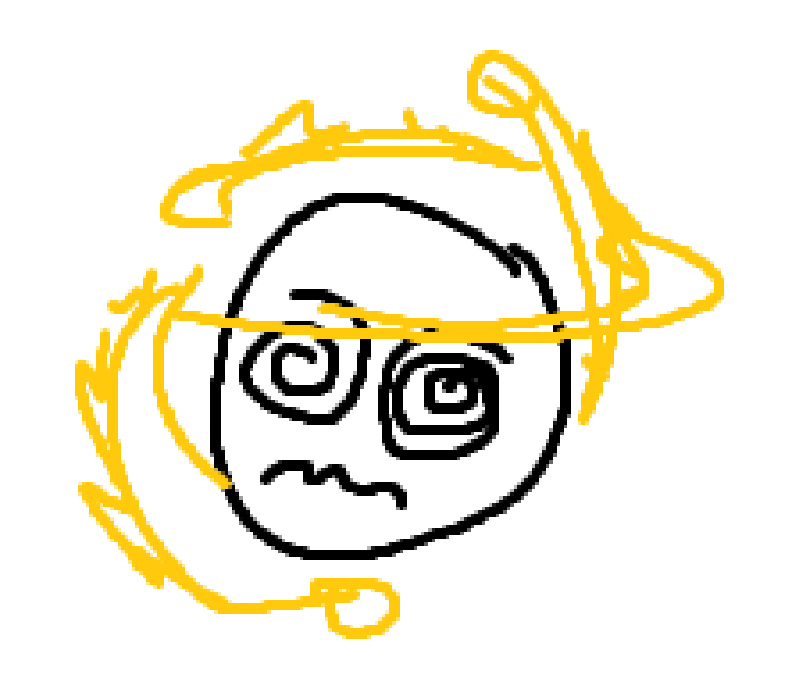
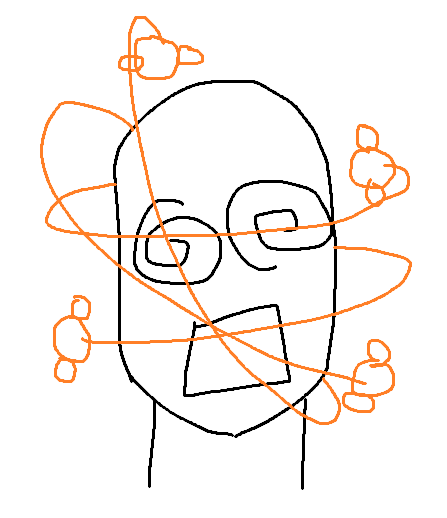
- Discombobulate: At the end of your turn, all opponents adjacent to the swarm get 1 Slow.
- Icon: A close-up shot of someone’s head with 4 bees orbiting around, leaving trails. The victim should have swirly eyes and look dazed.
 !
!
- Foolhardy: Wireless range is reduced to 2 cells, but all abilities trigger twice.
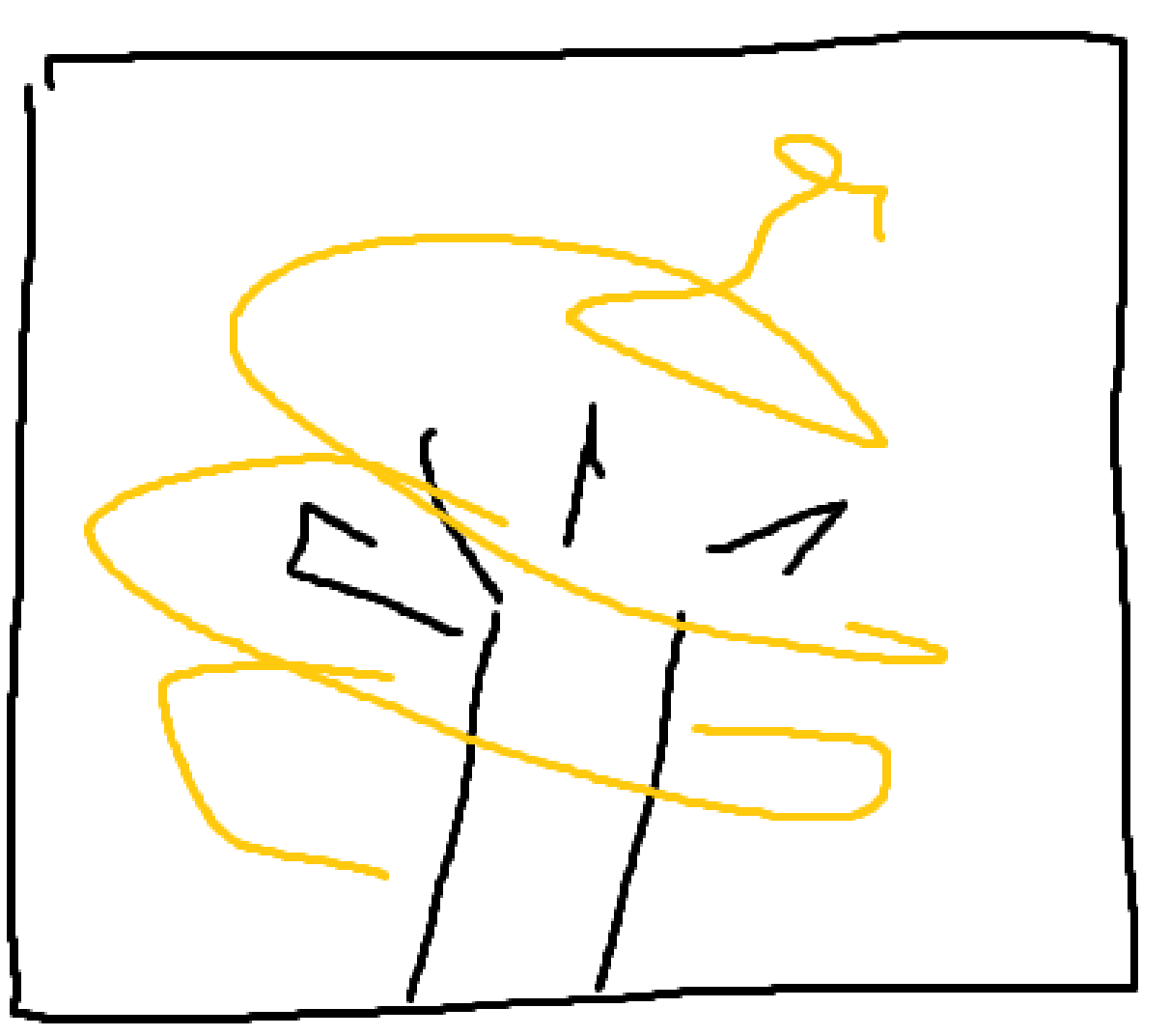
- Icon: A close-up of Keeper’s arm and open claws extended into the sky, with his swarm swirling around and above it.
Actives
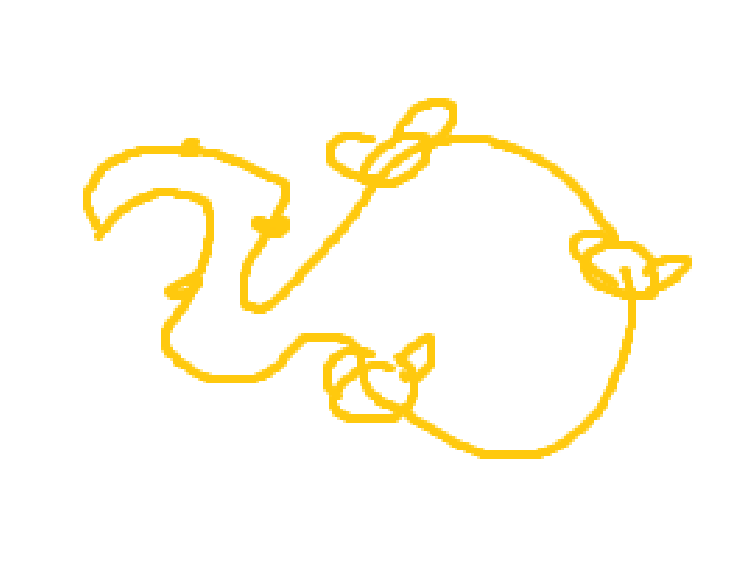
- Kill The swarm is directed to move to a cell, and attack the unit on that cell if it’s occupied.
- Icon: The swarm moving as a unit, with a clear jagged trail following behind a main jolt of bees. Make it look jagged and spiked to imply that this is an attack. (The sketch doesn’t show this)
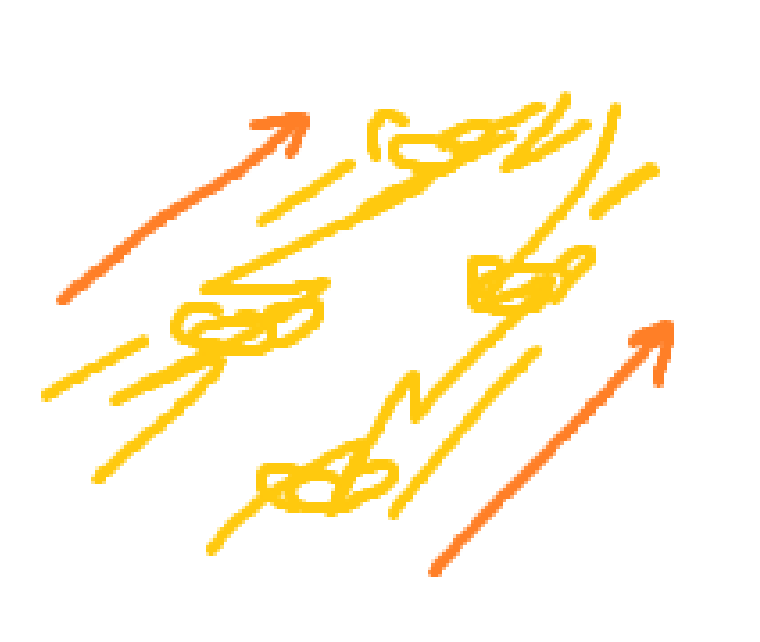
- Sting: The swarm is directed to strike and pierce every unit in a cardinal line.
- Icon: The swarm stabbing as a unit, diagonally upwards. Please put some perspective on this (it should look like they’re stabbing towards the camera).
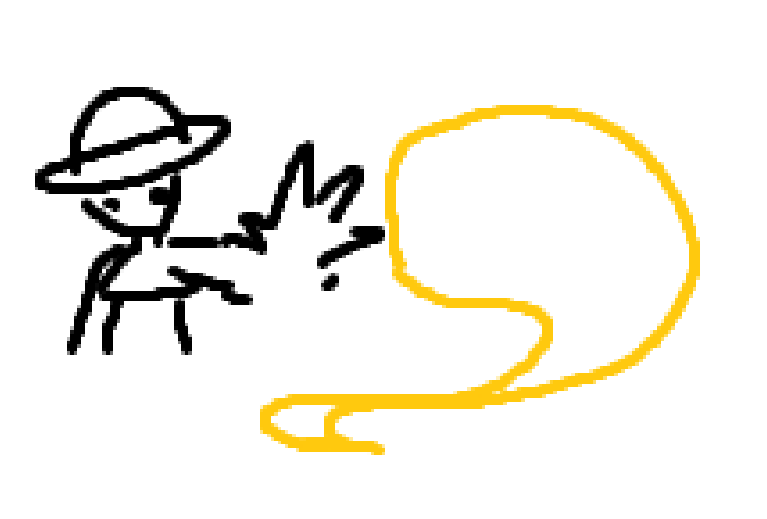
- Recall: The swarm teleports to a cell adjacent to Keeper.
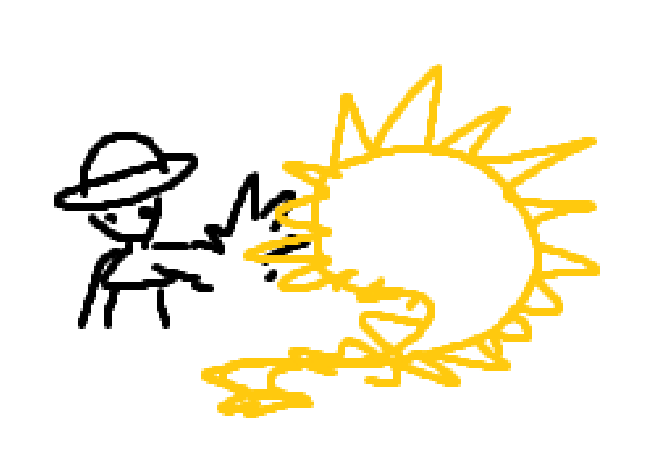
- Icon: The swarm moves as a unit towards Keeper, who has his hand outstretched and his claw open. Please don’t follow the shape of the swarm in this sketch exactly; make sure that it looks like the swarm is moving AWAY from the camera. This sketch does a terrible job of communicating that. (It’s my sketch.) The swarm is the main focus of the icon and should take up about 60-70% of the icon, with Keeper smaller.
- Coordinate: Keeper gains 1 Supercharge for every enemy adjacent to the swarm.
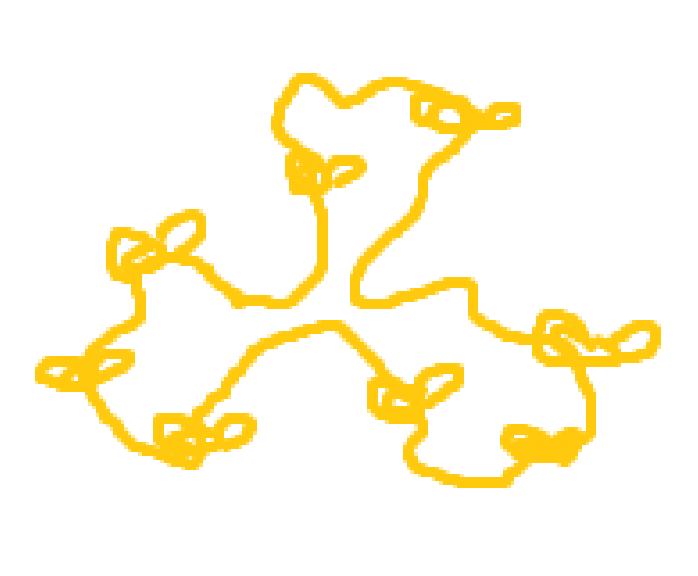
- Icon: The swarm splits off into multiple directions, as if it’s splitting into multiple smaller swarms.
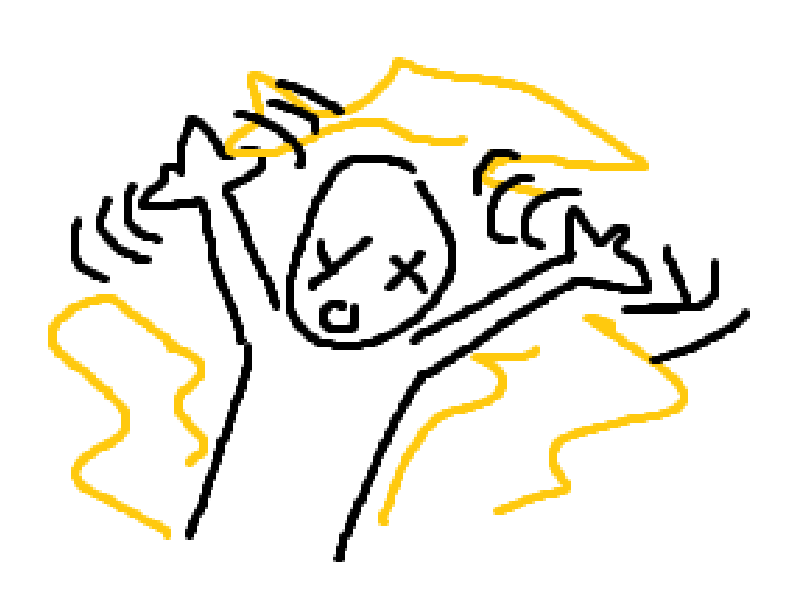
- Sentry (Renamed from Counterattack): The swarm moves to a cell, then attacks any enemy that moves next to it until its next turn.
- Icon: A person with their arms up surrounded by the swarm.
- Recall Burst: The swarm deals damage to all adjacent units, then teleports to a cell adjacent to Keeper.
- Icon: The same icon as Recall, except the swarm blob is spiky instead of blobby.